


Kimi K3 API Guide: OpenAI-Compatible Integration for Developers
 2026-10-07
 1447 Reads
Developers building AI applications often face a practical challenge: accessing advanced language models without maintaining multiple API systems, SDK integrations, and billing platforms. As AI models continue to evolve, a flexible API layer has become essential for teams that want to experiment, scale, and switch between different models efficiently.
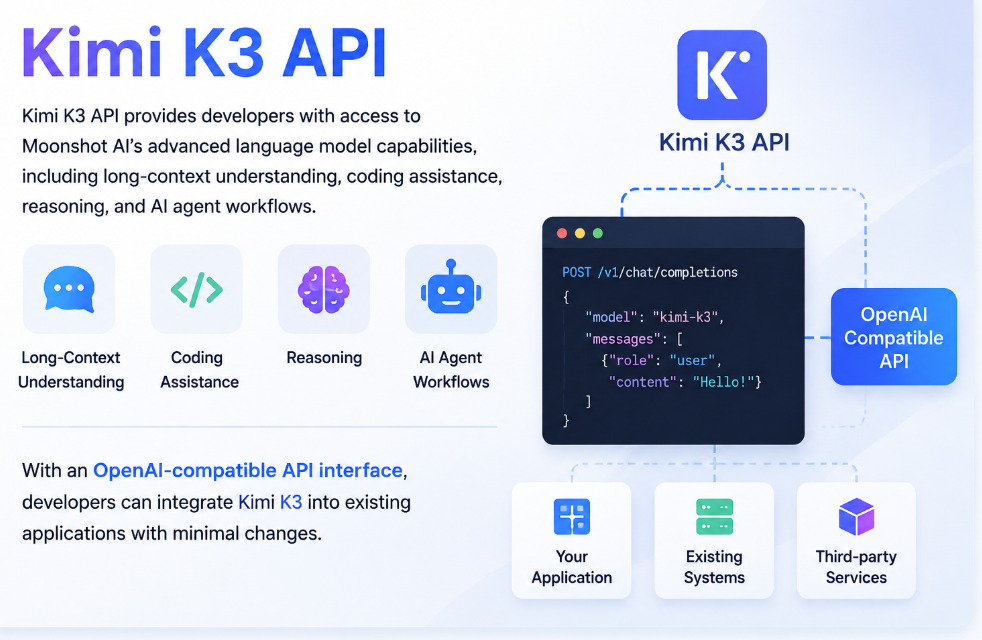
Kimi K3 API gives developers access to Moonshot AI's language model capabilities for tasks such as long-context processing, coding, reasoning, and agent-based workflows. Through an OpenAI-compatible interface, it can also be integrated into existing applications with relatively few changes.
This guide explains what Kimi K3 API is, how to connect it, how to use it with Python and cURL examples, and how developers can access Kimi K3 through ApiSmart's unified AI API platform.
What Is Kimi K3 API?
Kimi K3 API allows developers to interact with the Kimi K3 model programmatically by sending requests and receiving model generated responses.
Instead of building AI capabilities from scratch, developers can send prompts, receive generated responses, and integrate intelligent features into applications such as:
- AI assistants
- Coding tools
- Enterprise knowledge systems
- Document analysis platforms
- AI agents
- Automated workflows
Kimi K3 is designed for tasks that require advanced reasoning, long-context processing, and complex instruction following.
By using an API interface, businesses can connect Kimi K3 with their existing software infrastructure and create customized AI-powered products.
Why Developers Use Kimi K3 API
Modern AI applications require more than simple text generation. Developers increasingly need models that can understand large amounts of information, generate reliable outputs, and support complex workflows.
Kimi K3 offers capabilities that can be useful across a range of developer workflows and AI applications.
Long Context Understanding
Large context windows allow AI models to process extensive information within a single conversation.
With Kimi K3 API, developers can build applications for:
- Long document analysis
- Research assistants
- Knowledge management systems
- Contract review
- Technical documentation processing
Instead of splitting large documents into many smaller requests, applications can maintain more complete context during AI interactions.
Advanced Coding Capability
AI coding assistants have become one of the most common applications of large language models.
Kimi K3 API can assist developers with:
- Code generation
- Bug analysis
- Programming explanations
- Code refactoring
- Technical documentation
Development teams can integrate Kimi K3 into IDE extensions, internal developer tools, or automated coding workflows.
AI Agent Development
AI agents require models that can understand goals, make decisions, and interact with external tools.
Kimi K3 API can support agent-based applications such as:
- Customer support agents
- Data research agents
- Automation assistants
- Business workflow agents
Combined with function calling and external APIs, developers can create AI systems that complete multi-step tasks automatically.
How to Access Kimi K3 API with ApiSmart.ai
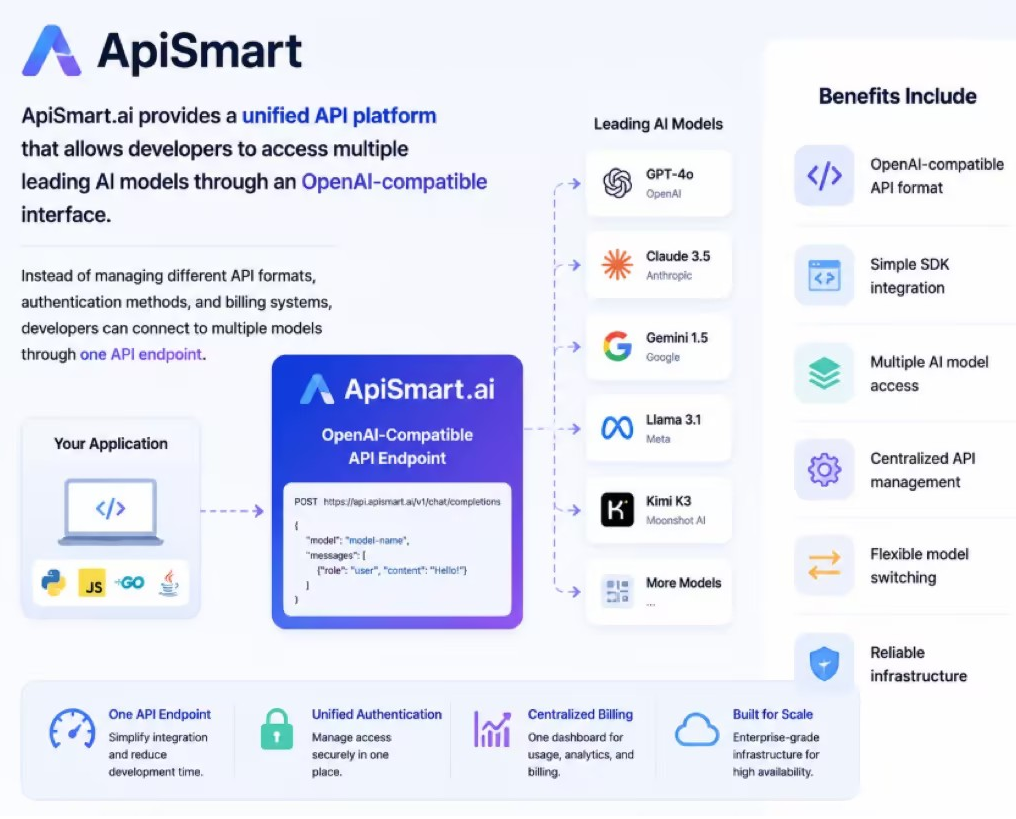
ApiSmart provides a unified API platform that allows developers to access multiple leading AI models through an OpenAI-compatible interface.
Instead of managing different API formats, authentication methods, and billing systems, developers can connect to multiple models through one API endpoint.
Benefits include:
- OpenAI-compatible API format
- Simple SDK integration
- Multiple AI model access
- Centralized API management
- Flexible model switching
- Unified API access
Step 1: Create an ApiSmart.ai Account
To start using Kimi K3 API through ApiSmart.ai:
- Create an ApiSmart.ai account
- Generate your API key
- Confirm Kimi K3 is available in your ApiSmart account
- Copy the model ID shown in the model list.
- Configure your application with the API endpoint
Your API key is used to authenticate requests between your application and the AI model service.
Step 2: Configure the OpenAI-Compatible API Endpoint
Because ApiSmart.ai provides an OpenAI-compatible API format, developers can use familiar OpenAI SDK libraries.
You do not need to rebuild your application architecture.
Simply update:
- API key
- Base URL
- Model name
Your existing OpenAI-compatible code can work with Kimi K3 API.
How to Use Kimi K3 API with Python
The following example demonstrates how to call Kimi K3 API using the OpenAI Python SDK
from openai import OpenAI
import os

client = OpenAI(
    api_key=os.environ["APISMART_API_KEY"],
    base_url="https://gw.apismart.ai/v1"
)

response = client.chat.completions.create(
    model="kimi-k3",
    messages=[
        {
            "role": "user",
            "content": "Explain how Kimi K3 API works."
        }
    ]
)

print(response.choices[0].message.content)
The same SDK structure used for OpenAI applications can be applied to Kimi K3 through ApiSmart.ai.
This makes migration faster for developers who already use OpenAI-compatible tools.
How to Call Kimi K3 API with cURL
Developers can also send direct HTTP requests using cURL.
Example:
curl https://gw.apismart.ai/v1/chat/completions \
  -H "Authorization: Bearer $APISMART_API_KEY" \
  -H "Content-Type: application/json" \
  -d '{
    "model": "kimi-k3",
    "messages": [
      {
        "role": "user",
        "content": "Write a Python API integration example."
      }
    ]
  }'
This method is useful for:
- API testing
- Backend integration
- Debugging requests
- Quick prototypes
Kimi K3 API Use Cases
1. AI Coding Assistants
Software teams can use Kimi K3 API to build intelligent coding tools.
Examples:
- Code completion
- Programming explanations
- Automated testing
- Code review assistants
2. Enterprise Knowledge Management
Companies often store large amounts of internal information.
Kimi K3 API can help create:
- Internal AI search systems
- Document assistants
- Employee knowledge bots
Large context processing enables AI systems to understand complex company information more effectively.
3. AI Customer Support
Businesses can integrate Kimi K3 into customer service platforms.
Applications include:
- Automated FAQ systems
- Customer conversation assistants
- Support ticket analysis
AI support agents can provide faster responses while reducing manual workload.
4. AI Research and Data Analysis
Researchers and analysts can use Kimi K3 API for:
- Report summarization
- Market research
- Data interpretation
- Information extraction
The model’s ability to process large inputs makes it suitable for information-heavy workflows.
Choosing an AI Model for Different Use Cases
Different AI models have different strengths depending on application requirements.
|
Model |
Best For |
|
Kimi K3 |
Long context, coding, reasoning tasks |
|
GPT Models |
General AI applications and ecosystem support |
|
Claude Models |
Writing, analysis, enterprise workflows |
|
Gemini Models |
Multimodal applications |
For applications that use more than one model, a unified API can make it easier to test different options and switch models without maintaining separate integrations.
Why Use ApiSmart for Kimi K3 API?
Managing multiple AI providers can create unnecessary complexity.
ApiSmart.ai provides a unified API layer for accessing multiple AI models through a single integration.
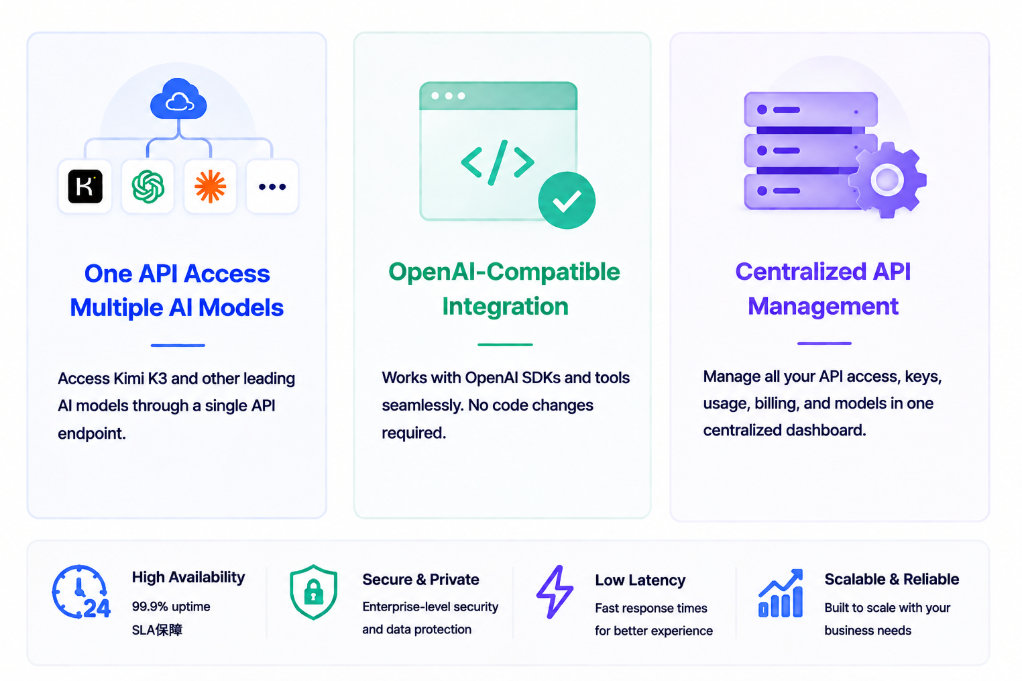
One API for Multiple AI Models
Developers can use one platform to access different AI models without creating separate integrations.
Benefits include:
- Unified authentication
- Simplified development
- Easier model comparison
- Centralized usage management
OpenAI-Compatible Integration
Developers already familiar with OpenAI SDKs can quickly connect their applications.
The compatible API structure reduces migration costs and speeds up development.
Centralized API Management
Managing multiple model providers separately can add unnecessary complexity as an application grows. ApiSmart provides a centralized API layer that helps developers manage model access through one integration.
Key benefits include:
- Unified API access
- Centralized authentication
- Easier model switching
- Simplified integration management
Understanding Kimi K3 API Usage Costs
API costs depend on several factors:
- Model usage volume
- Input token consumption
- Output token generation
- Application requirements
Before deploying a large-scale application, developers should evaluate:
- Expected request volume
- Average context length
- Response requirements
- Performance needs
Using an API gateway can help teams manage and optimize AI expenses more effectively.
Frequently Asked Questions
What are the advantages of using ApiSmart instead of direct Kimi K3 API?
Using ApiSmart.ai provides several benefits:
- Access to multiple AI models in one place
- Unified authentication and billing
- Easier model switching and testing
- Simplified integration with OpenAI-compatible format
- Centralized API and model
What programming languages can use Kimi K3 API?
Any programming language that supports HTTP requests can connect to Kimi K3 API.
Common choices include:
- Python
- JavaScript
- Java
- Go
- PHP
Do I need separate API keys for Kimi K3 and other models?
No.
With ApiSmart.ai, one API key can be used across supported models available through your account. In many cases, switching models only requires changing the model identifier in the API request.
Can I use Kimi K3 API for AI agents?
Yes.
Kimi K3’s reasoning and long-context capabilities make it suitable for building AI agents, automation systems, and workflow assistants.
Is Kimi K3 API suitable for enterprise applications?
Yes.
Enterprise teams can use Kimi K3 API for knowledge management, customer support, software development tools, and internal automation.
Is Kimi K3 API compatible with OpenAI SDK?
Yes. When accessed through ApiSmart.ai’s OpenAI compatible API, developers can use the OpenAI SDK by configuring the ApiSmart API key, base URL, and supported model ID.
Start Building with Kimi K3 API through ApiSmart
Kimi K3 API gives developers a practical way to integrate advanced AI capabilities into modern applications.
Whether you are building an AI assistant, coding tool, enterprise chatbot, or autonomous workflow system, accessing the right model through a reliable API infrastructure is critical.
With ApiSmart.ai’s OpenAI-compatible API, developers can access Kimi K3 alongside other supported AI models through a unified interface, reducing the need to maintain separate integrations for each provider.
Start building with Kimi K3 through ApiSmart.ai’s OpenAI-compatible API and use the same integration to explore other supported models.