


How to Access and Use the HappyHorse 1.0 API: A Complete Guide to AI Video Generation.
 2026-10-07
 1229 Reads
How to Access and Use the HappyHorse 1.0 API: A Complete Guide to AI Video Generation.
Creating AI-generated videos usually requires more than a powerful model. Developers also need a reliable API connection, simple integration methods, and flexible infrastructure that can scale with application requirements.
The HappyHorse 1.0 API allows developers to generate videos from text prompts and integrate AI video-generation workflows into their applications.
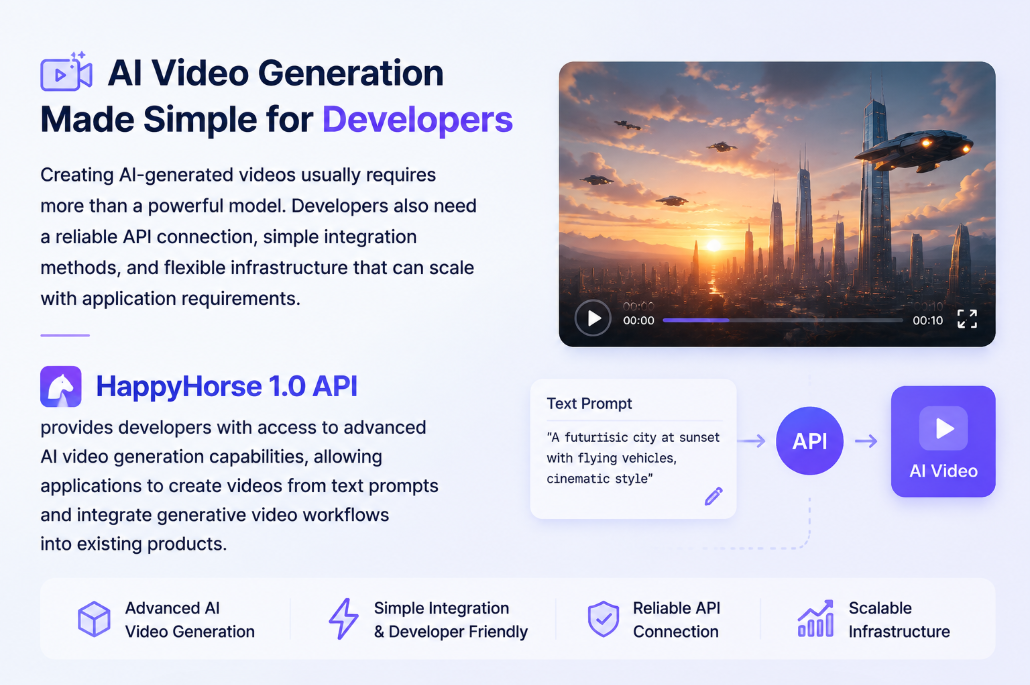
With ApiSmart.ai, developers can access AI models through a unified API platform, reducing the complexity of managing multiple AI providers, authentication systems, and integration methods.
This guide explains how the HappyHorse 1.0 API works, how to access it through ApiSmart.ai, and how to integrate it into an application.
What Is the HappyHorse 1.0 API?
The HappyHorse 1.0 API allows developers to access the HappyHorse AI video-generation model programmatically.
Instead of creating videos manually through a user interface, developers can send structured API requests from their applications and retrieve AI-generated videos.
HappyHorse 1.0 is designed for AI video generation workflows, including:
- Text-to-video generation
- Creative content production
- Marketing video creation
- Product demonstrations
- Automated media generation
Developers can integrate HappyHorse into:
- SaaS applications
- AI creative tools
- Marketing platforms
- Content automation systems
- Video production workflows
Key Features of HappyHorse 1.0 API
AI Text-to-Video Generation
HappyHorse 1.0 allows developers to turn natural-language prompts into AI-generated videos.
Users can provide prompts describing:
- Scene details
- Characters
- Motion effects
- Camera movements
- Visual styles
Example:
A futuristic city at sunset with flying vehicles and cinematic camera movement.
The API processes the prompt and returns the generated video or a task ID that can be used to retrieve it.
AI Video Creation for Different Use Cases
AI video applications can be used to create dynamic visual content for storytelling, product presentation, and advertising.
Developers can use the HappyHorse 1.0 API for:
- Realistic scene generation
- Creative storytelling
- Product visualization
- Digital advertising content
Flexible Video Generation Workflows
Developers can integrate AI video generation into different workflows:
Examples:
- Generate social media videos automatically
- Create advertising materials
- Build AI video editing platforms
- Develop creative assistant applications
How to Access HappyHorse 1.0 API
Step 1: Create an ApiSmart.ai Account
To start using HappyHorse 1.0 API:
1. Create an account on ApiSmart.ai
2. Open the ApiSmart dashboard and generate an API key
3. Select the HappyHorse 1.0 model
4. Add the API key and ApiSmart base URL to your application
ApiSmart.ai provides a centralized API management system, allowing developers to manage AI model access through one platform.
Step 2: Configure API Authentication
Each API request must be authenticated using your ApiSmart API key.
Example:
Authorization: Bearer YOUR_API_KEY
Keep your API key secure and never expose it in client-side code or public repositories.
Step 3: Send Your First HappyHorse API Request
Example:
import os
import time
import requests

API_KEY = os.environ["APISMART_API_KEY"]
BASE_URL = "https://gw.apismart.ai/v1"

headers = {
    "Authorization": f"Bearer {API_KEY}",
    "Content-Type": "application/json"
}

# Step 1: Create a HappyHorse-1.0 video generation task
payload = {
    "model": "happyhorse-1.0",
    "content": [
        {
            "type": "text",
            "text": "A cinematic video of a futuristic city at sunset, "
                    "with flying vehicles and smooth camera movement."
        }
    ],
    "duration": 4,
    "resolution": "720p"
}

response = requests.post(
    f"{BASE_URL}/video/tasks",
    headers=headers,
    json=payload,
    timeout=60
)

response.raise_for_status()

result = response.json()
print("Create task response:")
print(result)

# Step 2: Get the task ID
task_id = result["id"]

print(f"\nVideo task created successfully.")
print(f"Task ID: {task_id}")

# Step 3: Poll the task until the video is ready
while True:
    status_response = requests.get(
        f"{BASE_URL}/video/tasks/{task_id}",
        headers=headers,
        timeout=60
    )

    status_response.raise_for_status()

    task = status_response.json()

    print(f"Current status: {task.get('status')}")

    if task.get("status") in ("succeeded", "completed", "success"):
        print("\nVideo generation completed.")
        print(task)
        break

    if task.get("status") in ("failed", "error", "cancelled"):
        print("\nVideo generation failed.")
        print(task)
        break

    time.sleep(5)
Because ApiSmart.ai provides an OpenAI-compatible interface, developers can use familiar SDK patterns without rebuilding their applications.
HappyHorse 1.0 API Use Cases
Marketing Video Generation
Businesses can automatically generate:
- Product videos
- Advertisement clips
- Brand storytelling content
Social Media Content Automation
Creators can build systems that automatically produce:
- Short videos
- Promotional content
- Video campaigns
AI Creative Applications
Developers can combine HappyHorse with other AI models to create:
- AI content studios
- Creative assistants
- Automated video workflows
Why Use ApiSmart for the HappyHorse 1.0 API?
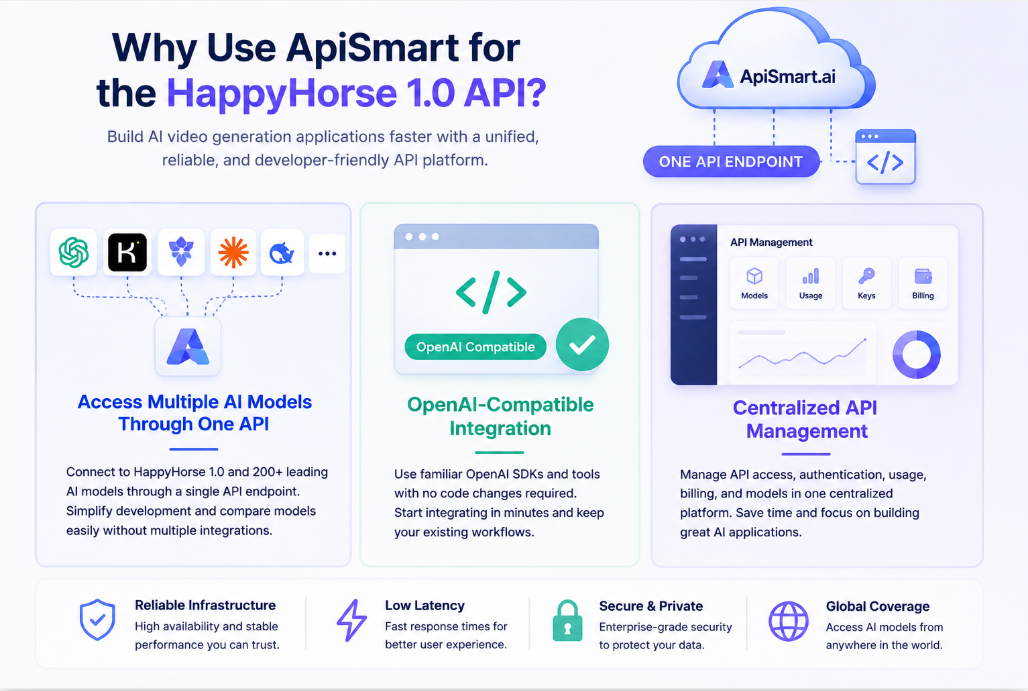
Access Multiple AI Models Through One API
Developers can access HappyHorse and other supported AI models through one unified API platform.
Benefits:
- Simplified integration
- Faster development
- Easier model comparison
OpenAI-Compatible Integration
ApiSmart.ai provides an OpenAI-compatible API structure.
Developers can continue using familiar tools, including:
- SDKs
- Libraries
- Development workflows
This can reduce the amount of work required to integrate supported models into an existing application.
Centralized API Management
Managing multiple AI providers separately can increase development complexity.
ApiSmart.ai provides a centralized API layer that helps developers manage:
- API access
- Authentication
- Model selection
- Usage tracking
These features can be managed through a single platform.
HappyHorse 1.0 API Pricing Considerations
AI video API costs usually depend on:
Video Duration
Longer videos require more computing resources.
Resolution
Higher-resolution videos generally require additional processing.
Generation Volume
Large-scale applications should optimize:
- Request frequency
- Output settings
- Model selection
Pricing may vary according to the selected model, video duration, resolution, and generation volume. Check the ApiSmart pricing page for the latest rates before using the API in production.
Frequently Asked Questions
What is the HappyHorse 1.0 API?
HappyHorse 1.0 API allows developers to generate AI videos through API requests.
Can developers integrate HappyHorse the API into applications?
Yes.
Developers can integrate HappyHorse into websites, SaaS platforms, and AI applications.
Does the HappyHorse API support automated workflows?
Yes.
It can be combined with other AI services to build automated video generation pipelines.
Why use ApiSmart.ai for the HappyHorse API?
ApiSmart.ai simplifies AI integration by providing unified API access to multiple AI models through one platform.
Start Building with HappyHorse 1.0 API through ApiSmart
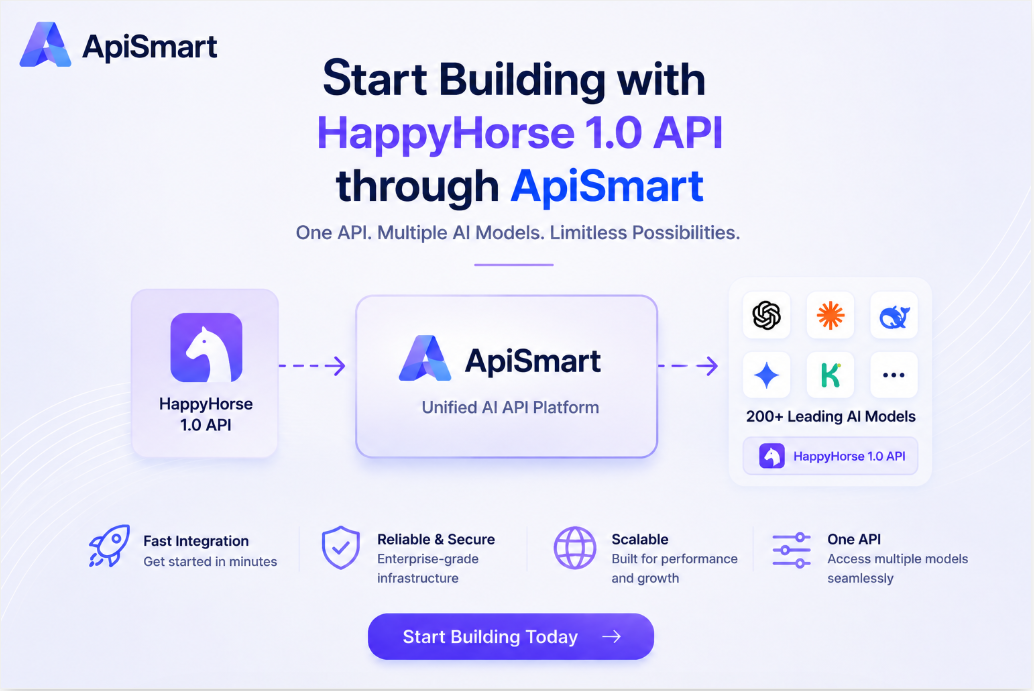
AI video generation gives developers new ways to create automated, scalable visual experiences.
The HappyHorse 1.0 API provides a practical way to add AI video-generation features without building the underlying model infrastructure from scratch.
With ApiSmart.ai, developers can access HappyHorse and other leading AI models through a unified API platform, making AI application development faster, simpler, and more scalable.
Create an ApiSmart.ai account and start integrating the HappyHorse 1.0 API into your application.